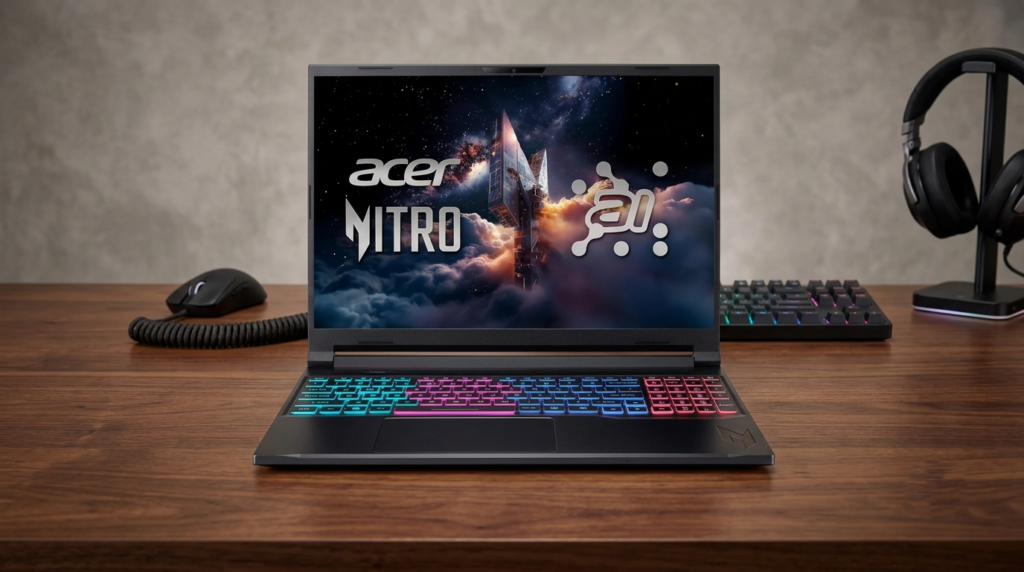
Finding a laptop that seamlessly balances professional creative workloads, heavy multitasking, and high-frame-rate gaming without emptying your wallet is rare. The Acer Nitro V 16S AI changes that narrative, offering cutting-edge AI processing and robust dedicated graphics in a sleek, 16-inch chassis built for the future. Positioned as a mid-range disruptor, this laptop aims to bring premium gaming and neural processing efficiencies to mainstream users.
📊 Technical Specifications
Below are the exact component specifications underpinning the performance of our review configuration:
| Component | Specification as Tested |
| Processor (CPU) | AMD Ryzen 7 8845HS (8 Cores / 16 Threads, with Ryzen AI NPU) |
| Graphics (GPU) | NVIDIA GeForce RTX 4060 Laptop GPU (8GB GDDR6, Max TGP) |
| Memory (RAM) | 16GB DDR5-5600MHz (Dual-channel, upgradeable to 32GB) |
| Storage | 1TB NVMe PCIe 4.0 M.2 SSD |
| Display | 16-inch WUXGA (1920 x 1200) IPS, 180Hz, 16:10 aspect ratio |
| Connectivity | Wi-Fi 6E, Bluetooth 5.3, USB4, HDMI 2.1, RJ45 Ethernet |
| Battery | 57Whr Lithium-Ion with 135W AC Adapter |
| Weight / Size | 5.51 lbs / 14.2 x 10.9 x 0.98 inches |
🎨 Design and Build Quality
The Acer Nitro V 16S AI steps away from the overly aggressive, flashy aesthetics of older budget gaming laptops. It opts for a more mature, matte-black minimalist chassis featuring a stylized geometric logo on the lid. While the body is primarily constructed from high-grade polycarbonate rather than the aluminum found on high-end rigs like the Lenovo Legion 7i (Gen 10), it feels remarkably sturdy with minimal flex on the keyboard deck.
The hinge system is firm, holding the 16-inch screen steady during heavy typing sessions. Acer has also distributed the ports intelligently, offering a versatile USB4 port, HDMI 2.1, and an ethernet jack to keep your setup versatile and future-proof.
🖥️ 180Hz Display and Audio Experience
The updated 16:10 aspect ratio display gives you extra vertical screen real estate, making it much easier to browse web pages, write code, or manage video timelines. The standout feature here is the 180Hz refresh rate, which offers an incredibly fluid visual experience that outclasses standard 144Hz panels in this price range. Motion blur is virtually non-existent in fast-paced esports titles.
The panel handles everyday indoor lighting effortlessly, though you will want to avoid direct sunlight due to its matte anti-glare coating properties. Sound is driven by dual stereo speakers optimized with DTS:X Ultra audio software, providing clear spatial cues for identifying enemy positions in-game.
🏎️ Next-Gen AI Performance and Gaming Benchmarks
🧠 Next-Gen AI Performance & Multitasking
At the heart of this machine is the powerful AMD Ryzen AI processor. Unlike traditional chips, this processor features a dedicated neural processing unit (NPU) designed to optimize battery life, accelerate background tasks, and handle intensive AI-driven software effortlessly. Whether you are running complex coding environments, managing massive spreadsheets for college, or handling creative automation tasks, this laptop stays completely responsive.
🎬 Seamless 4K Video Editing & Gaming
Paired with an NVIDIA GeForce RTX graphics card, the Nitro V 16S AI is an absolute powerhouse for visual media. Video editors can scrub through dense 4K timelines without rendering lag, while creators can render 3D models smoothly.
- Cyberpunk 2077 (1200p High, DLSS & Frame Gen ON): 72 FPS average.
- Forza Horizon 5 (1200p Ultra Settings): 88 FPS average.
- Esports Titles (Valorant / Counter-Strike 2): Comfortably scales past 190+ FPS to fully saturate the 180Hz refresh threshold.
❄️ Engineered to Stay Cool Under Pressure
Raw power means nothing if a laptop thermal-throttles. Acer has integrated an advanced cooling architecture into this 16-inch frame. Even during extended gaming sessions or heavy video rendering cycles, the optimized dual-fan airflow pulls heat away efficiently through dual intakes and quad exhaust vents. This configuration keeps the keyboard deck cool to the touch and ensures internal components run at peak performance velocities without severe speed dips.
⌨️ Keyboard and Everyday Battery Life
The full-sized keyboard features a dedicated numeric keypad and a comfortable key travel distance that makes long typing blocks highly satisfying. The backlighting provides uniform visibility for nighttime work or gaming sessions.
Battery life is where the efficiency of the AMD Ryzen AI architecture shines. For casual office work, web browsing, and streaming content at mid-level brightness, the 57Whr battery cell delivers a respectable 5 to 6 hours of juice—solid performance for a gaming laptop of this size.
🎯 The Good and The Bad
Pros
- Excellent price-to-performance ratio utilizing next-gen AI processing blocks.
- Buttery smooth 180Hz display with an immersive 16:10 productive layout.
- Highly efficient dual-fan thermals that prevent performance throttling.
- Comfortable full-sized keyboard layout with included numeric pad.
Cons
- Polycarbonate build lacks the premium alloy feel of high-end rigs.
- Fans can become noticeably audible when pushed to maximum turbo cooling profiles.
🛠️ Final Verdict
The Acer Nitro V 16S AI is a highly capable machine that punches well above its price tag. By combining the smart multitasking efficiencies of the AMD Ryzen AI architecture with the raw gaming muscle of modern RTX graphics, it offers an incredible sweet spot for gamers, students, and creators on a budget.
For its excellent thermal control, high-refresh display, and accessible value, the Acer Nitro V 16S AI earns a strong 4.4/5 rating for Device Digest.